GAME ENGINE
The Game Engine project was a University project in which our class was split into sub-groups which worked collaboratively to make a simple 2D Game Engine strongly inspired by Unity. The Game Engine is capable of running simple 2D video games with custom textures, sprites, scripts and sounds. It has a hierarchy / inspector which users can utilise to interact with the game engine itself, as well as a relatively in-depth UI system, physics engine, and other useful tools.
It was developed using C++, with GitHub, and libraries such as ImGui and SDL.
features
EDITOR
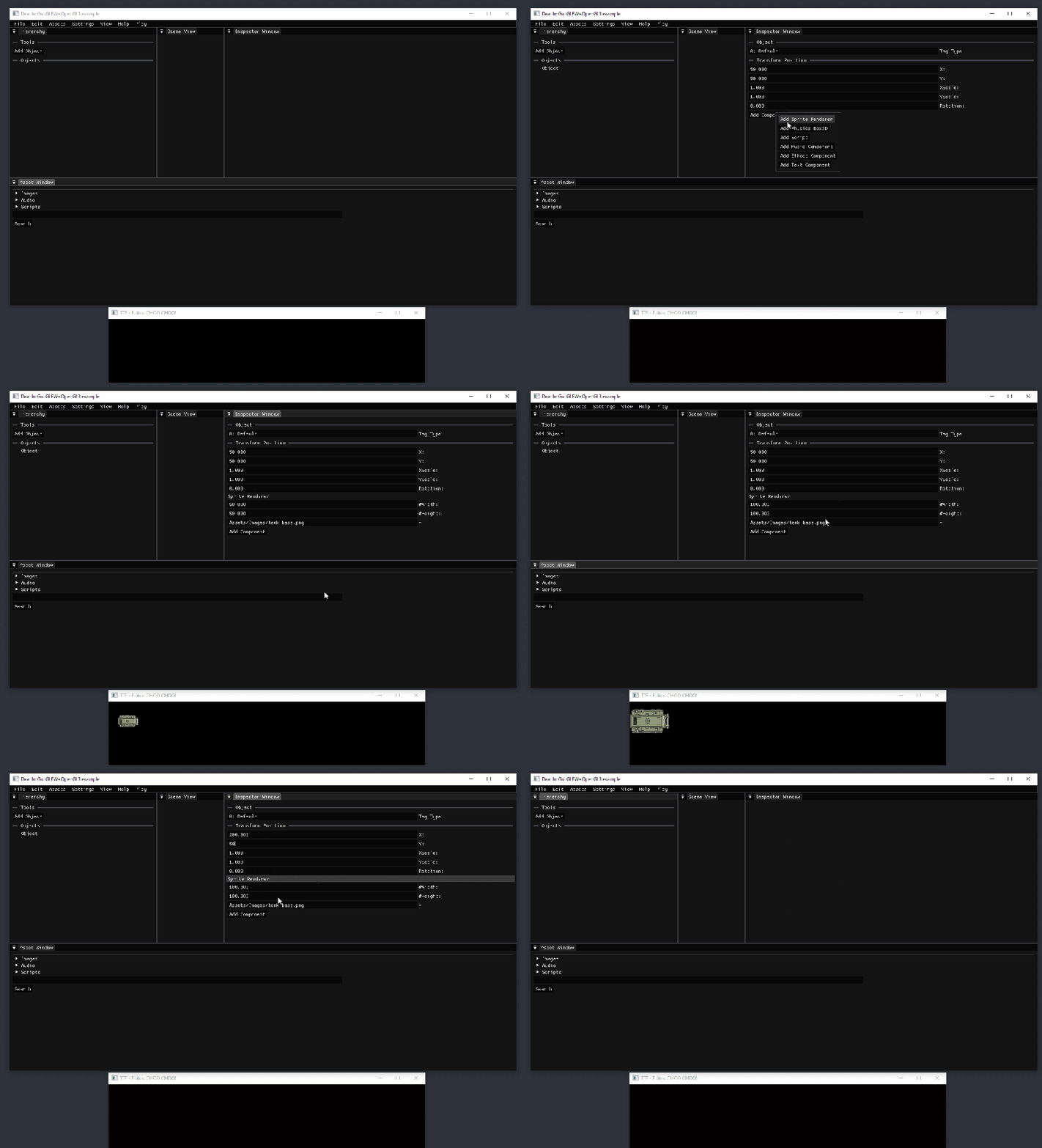
My sub-group was tasked with creating the Editor for the Game Engine. This is what the user interacts with in order to actually use the Game Engine and see the hierarchy, inspector, assets tabs and menus etc…
EDITOR: DEAR IMGUI
For the Editors UI, we decided to use the Dear ImGui library. This was a great choice as it allows for UI objects to be easily placed into a hierarchy of parent and child objects. It was also ideal as with our limited time-frame we wanted to prioritise functionality rather than focusing on making the UI super sleek and polished. This gave us a relatively simple way to create UI that did what we needed, quickly and time efficiently.


EDITOR: HIERARCHY
The editors hierarchy sorts Game Objects created by the user in a way that is easy to navigate and read. In the hierarchy, each game object’s properties can be viewed and changed in the inspector, and the assets tab can be used to load scripts, images and sounds that are located in the project folders.
EDITOR: MENU
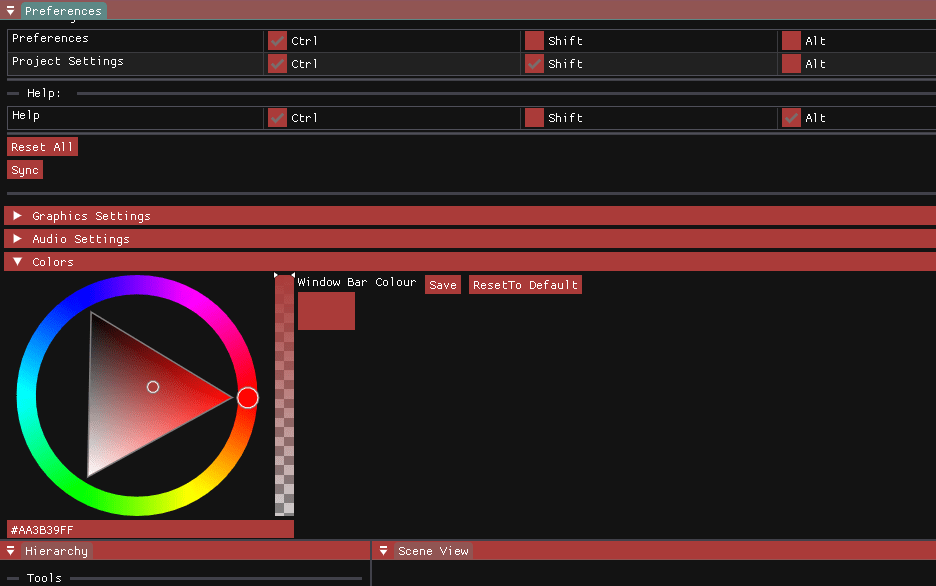
At the top of the Editor, the menu bar can be used to access menus such as properties and preferences tabs, as well as allowing users to save / load projects to & from files, and setting custom preferences such as UI colours, keyboard shortcuts, and pre-set layouts.
development
WORKFLOW
Our class was split into smaller sub-groups, each responsible for different parts of the engine. My sub-group focused on developing the Editor, while other groups handled systems such as Graphics/UI, Physics/Scripting, Audio/Input, and Architecture. GitHub was used as a tool for version control, and we used Jira to track bi-weekly sprints.
We used Agile development with Scrum in order to have an iterative development cycle, where developers could create and use knowledge throughout the production. Development projects usually identify several lessons learned and things that would be done differently, so this approached helped to minimise this issue.
 HME
HME 